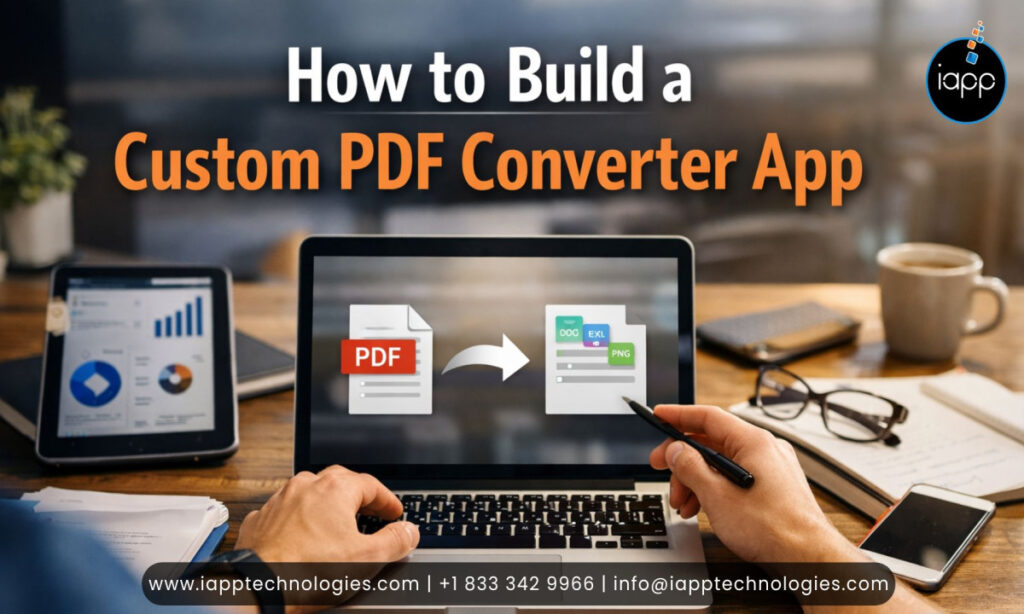
In today’s digital first world businesses manage a huge volume of documents daily contracts, invoices, presentations and reports. Handling these files efficiently, converting them between formats and ensuring secure storage has become critical to smooth business operations. A PDF tool is a solution that streamlines document workflows, saves time and improves productivity.
At iApp Technologies we’ve developed a robust PDF Converter app that helps businesses manage documents seamlessly. It offers a complete PDF toolkit including merge, split, compress, convert and annotate PDFs and supports cloud services like Drive Box and OneDrive. Leveraging this experience we assist clients in building custom solutions tailored to their unique business requirements ensuring efficiency, security and an enhanced user experience.
Without a dedicated PDF converter app businesses often encounter:
Manual errors: Converting documents manually can lead to formatting issues or data loss.
Time-consuming processes: Employees spend hours converting and organizing files instead of focusing on core tasks.
Inconsistent file formats: Multiple versions of the same document can create confusion and errors.
Security risks: Sharing documents via unsecured platforms may expose sensitive data.
A custom solution addresses these challenges by streamlining document handling ensuring consistent and secure processes and maintaining reliability through proper testing and app quality assurance services.
While generic apps are available they often fail to meet specific business needs. A custom solution ensures your app aligns perfectly with your workflow. Here’s why:
1. Tailored Features
Every business has unique workflows. A custom PDF app can include features such as:
Batch file conversion
Cloud storage integration
Branding customization
Advanced security protocols
Editing and annotation tools
Focusing on relevant features improves efficiency and eliminates unnecessary clutter.
2. Enhanced Security
Documents often contain sensitive information. Custom apps ensure data privacy and regulatory compliance with GDPR HIPAA or other local laws. Features like encrypted storage secure sharing and user authentication keep your files safe.
3. Seamless Integration
Businesses rely on multiple software tools cloud storage, CRMs and workflow platforms. Custom apps can integrate with these systems, automating processes and centralizing document management for efficiency.
4. Scalability
As your business grows your document needs increase. A custom app can scale, accommodating more users, larger files and additional features without affecting performance.
From our experience building our own PDF converter app these features are critical for a high quality custom app:
1. File Conversion Options
Your app should convert files from Word, Excel, PowerPoint and images to PDF and vice versa. Batch conversion saves time when handling multiple documents at once. Supported conversions may include:
JPG to PDF
Word to PDF
PowerPoint to PDF
Excel to PDF
PDF to Word, JPG, Excel or PowerPoint
2. Editing and Annotation Tools
Adding editing capabilities enhances usability. Users can highlight text, add notes and merge or split PDF pages. Advanced annotation tools like sticky notes, shapes and freehand drawing improve productivity.
3. Secure Storage & Sharing
Security features include cloud integration (Google Drive Dropbox OneDrive) password protection and role based sharing permissions.
4. User Friendly Interface
A simple intuitive interface allows employees of all technical levels to operate the app efficiently. Features like drag and drop uploads and progress indicators improve experience.
5. Cross Platform Support
With users accessing files on different devices your app should work seamlessly on desktop mobile and web platforms. Download our PDF Converter App now to experience all these features firsthand.
Creating a custom PDF converter app requires careful planning, design and development. Here’s our approach:
Step 1: Understand Business Requirements
Every business has unique document handling needs. Begin by assessing:
Types of files to convert
Document volumes
Security and compliance needs
Integration requirements
At iApp Technologies our mobile app experts conduct a detailed requirement analysis to ensure the app aligns perfectly with client workflows.
Step 2: Design UX/UI
User experience is key. Our design team focuses on creating a clean intuitive interface that simplifies document conversion, editing and management.
Step 3: Develop Core Features
Using agile methodologies, we implement the core features like file conversion, editing and secure storage. Drawing from our PDF converter app ensures efficient and reliable development.
Step 4: Implement Security Measures
We integrate encryption secure sharing and access control to protect sensitive documents.
Step 5: Test and Optimize
Thorough quality assurance guarantees the app is responsive bug free and scalable. Performance optimization ensures smooth handling of large files.
Step 6: Deploy and Maintain
After development the app is deployed on chosen platforms. Ongoing maintenance ensures the app remains up to date secure and high performing.
Modern PDF apps can incorporate AI development services for smarter document management. Features may include:
OCR (Optical Character Recognition) for scanned documents
Automated file categorization and sorting
Text recognition and smart search
Intelligent duplicate detection and file compression
AI-powered PDF summaries
Integrating AI improves productivity reduces manual effort and allows businesses to handle large document volumes efficiently.
Generic apps may handle basic needs but custom solutions provide significant advantages:
Efficiency: Tailored features save time on repetitive tasks
Security: Sensitive documents are protected
Branding: Fully aligned with your company identity
Integration: Works seamlessly with existing tools
Real-life Impact: Businesses that implement custom PDF converter apps have reported up to 50% faster workflows and reduced errors
Support: Dedicated maintenance and updates
Our existing app serves as a proof point for building reliable and efficient custom solutions.
Having an experienced development team is critical to building a high quality PDF app. Mobile app experts ensure a secure scalable and performance-driven solution that works seamlessly across platforms.
Key advantages include:
Efficient architecture and clean coding practices
Integration of advanced features like AI, OCR and cloud storage
Smooth cross platform performance on iOS and Android
Consistent user experience across devices and screen sizes
Faster development timelines with reduced technical risks
Reliable performance scalability and long term maintainability
By relying on expert mobile app developers businesses gain a professional PDF app that meets current requirements while remaining flexible for future growth.
As a trusted mobile app development company, iApp Technologies combines experience, expertise, and proven technology to deliver high-quality custom apps:
Requirement Analysis: Understanding your document workflows and goals
Custom Development: Designing an app tailored to your business
Secure & Scalable Solutions: Implementing strong security and scalability
Ongoing Support: Updates maintenance and enhancements
Whether you need a mobile app web app or cross platform solution we provide end to end development to ensure your PDF converter app delivers real value.
A custom PDF converter app can revolutionize how businesses manage documents making workflows faster more secure and efficient. With tailored features, seamless integration and scalable architecture, these apps solve real business challenges that generic solutions cannot.
Drawing from our experience with our own app, iApp Technologies builds custom solutions designed to meet your business requirements, improve productivity and secure sensitive documents.
Ready to simplify your document workflow? Contact iApp Technologies today to build a custom solution for your business.
Can a custom solution handle multiple file formats?
Yes. A well built app can convert Word, Excel, PowerPoint and images to PDF and vice versa, including batch conversion for faster processing.
How secure are custom apps?
Custom apps can include encryption, password protection, secure sharing, and regulatory compliance to safeguard sensitive business documents.
Can the app integrate with cloud storage?
Yes. Custom apps can integrate with Google Drive, Dropbox, OneDrive, and other cloud services for seamless file management.
Can AI features be added to the app?
Absolutely. AI capabilities such as OCR, automated document sorting, intelligent search, and smart file recognition can be integrated.
Can the app support mobile platforms?
Yes. With expert mobile app development services from iApp Technologies your PDF converter app can be built to deliver seamless performance on both iOS and Android devices.
 Jagwinder Singh
Wait! Before you go…
Talk to our experts and turn your ideas into powerful digital solutions.


 Trusted by 1000+ businesses

Fill out the form and our team will get back to you shortly.