Imagine your car breaks down on a busy US highway. You need towing assistance but lack an annual membership. Finding an available provider can take valuable time. A pay-per-use app can simplify this process.
Roadside assistance app development connects drivers with nearby service providers. Customers request help and pay for individual services. This guide covers features, technology, costs, and monetization.
A pay-per-use roadside assistance app connects drivers with independent service providers. Customers pay only when they request assistance. They do not need mandatory annual memberships.
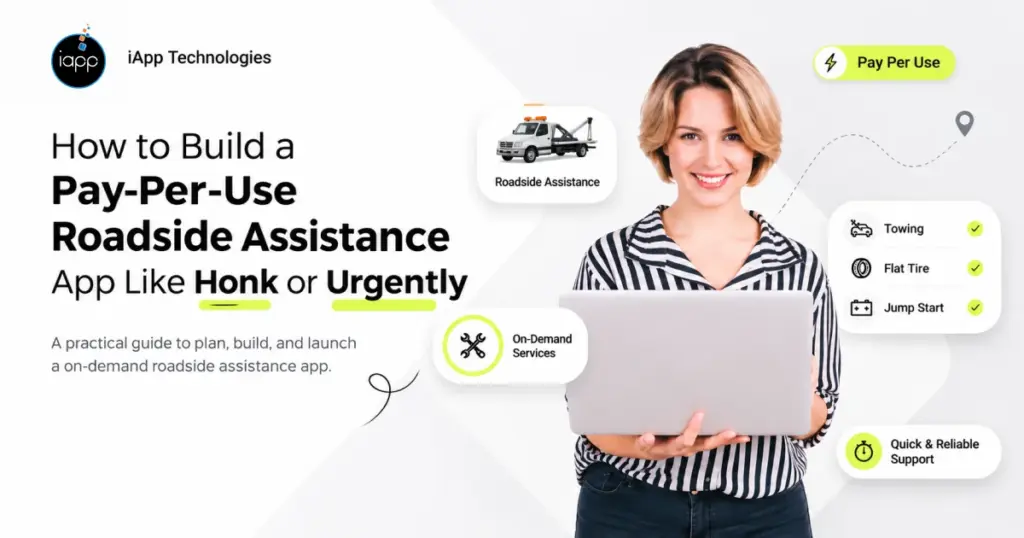
Platforms like HONK and Urgently demonstrate this approach. They connect motorists with roadside assistance networks. Available services include towing, jump-starts, and tire changes.
The US market offers substantial demand. AAA received over 27 million roadside assistance calls. These calls occurred across the United States during 2024. Around 13 million requests involved towing services. Battery-related issues accounted for approximately seven million calls.
For entrepreneurs, this creates a clear opportunity. A roadside assistance app can simplify service discovery. It can also help local providers secure additional jobs.
An on-demand roadside assistance app connects customers and providers. It manages bookings, dispatch, tracking, and payments.
Here is how a typical booking works:
Consider a driver with a dead car battery. The driver opens the app and requests assistance. The platform identifies nearby battery service providers. The customer reviews pricing and confirms the booking. The assigned technician receives the job details. Both parties can track the service status.
This process reduces manual coordination between customers and providers.
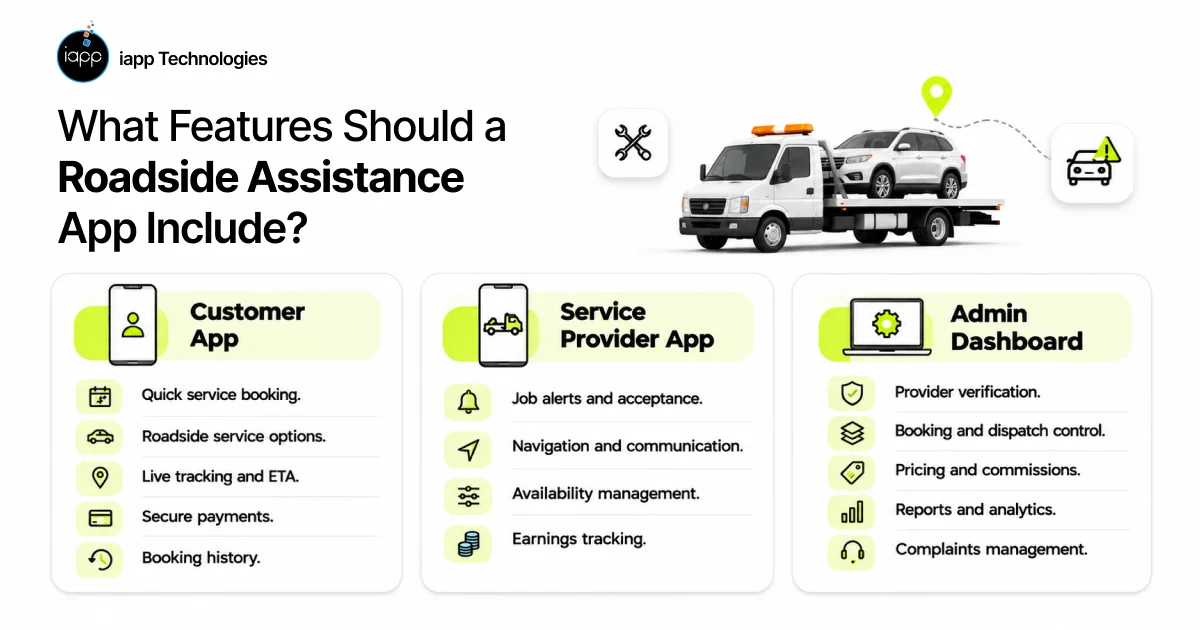
Strong roadside assistance app features support three user groups. These include customers, service providers, and administrators. Each group needs specific tools for daily operations.
For the first release, prioritize essential functions. Reliable booking and dispatch should come first. Advanced analytics can follow after market validation.
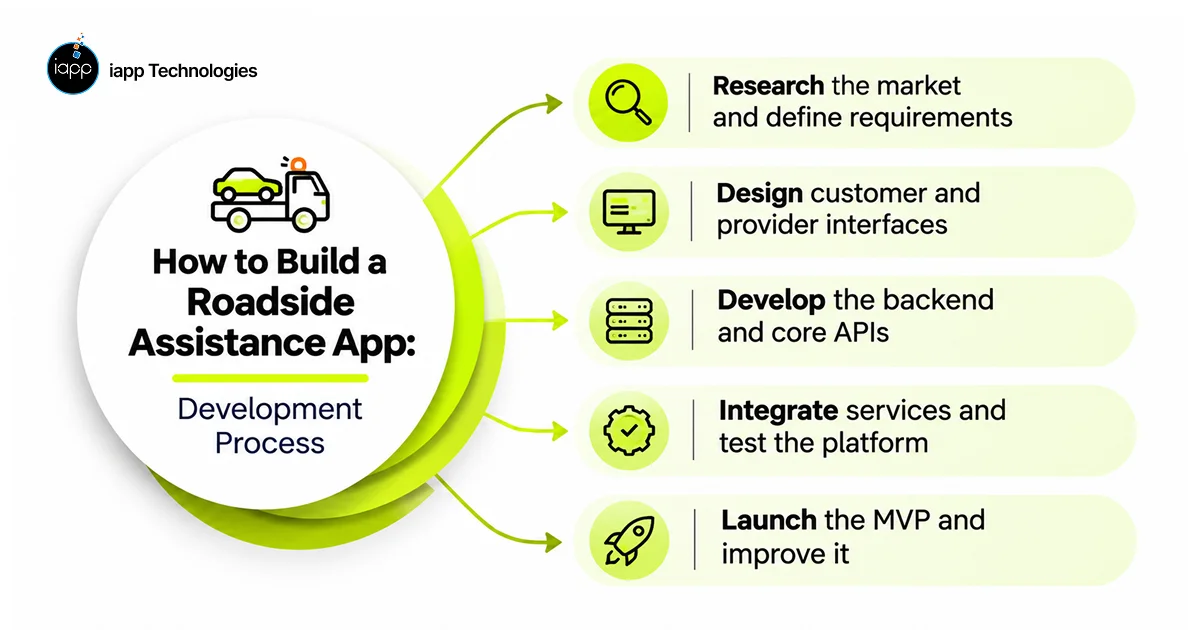
Successful roadside assistance app development requires structured planning. Each stage should support specific business and technical requirements.
Identify your target customers and service categories. Select initial cities and define service coverage. Decide whether providers work independently or through partnerships.
Also establish pricing, commissions, and booking policies.
Create separate interfaces for different user groups. Keep service booking simple and accessible. Providers need clear job alerts and navigation. Administrators need centralized operational controls.
The backend manages bookings, users, and provider records. It also handles dispatch, payments, and notifications.
A practical technology stack can include:
| Component | Suggested technology |
|---|---|
| Android and iOS | Flutter or React Native |
| Backend | Node.js or Python |
| Database | PostgreSQL |
| Real-time updates | WebSockets and Redis |
| Maps and GPS | Google Maps Platform |
| Payments | Stripe |
| Notifications | Firebase Cloud Messaging |
| Cloud hosting | AWS |
For towing service app development, dispatch logic needs special attention. The system should consider provider distance and availability. It should also check vehicle type and service capability.
Connect payment gateways and mapping services. Test location accuracy and provider assignment. Check failed payments and cancelled bookings. Also test peak traffic and notification delivery.
Start with one city or service region. Monitor completed bookings and provider response times. Collect customer feedback after every service. Use these findings to plan future releases.
For roadside assistance mobile app development, Flutter supports shared codebases. This can reduce duplicated development work across platforms. However, native development may suit complex requirements.
The roadside assistance app development cost depends on scope. Platform choices and integrations also affect budgets. Backend complexity can increase development time.
Consider these indicative US-dollar planning estimates:
| Development scope | Estimated budget | Estimated timeline |
|---|---|---|
| Basic MVP | $50,000– $90,000 | 12–16 weeks |
| Advanced platform | $120,000–$250,000+ | 5–8 months |
These are illustrative estimates, not fixed market rates. Actual quotations depend on project specifications and team rates.
Additional expenses should also enter your budget:
An MVP should focus on essential operations. Avoid building every advanced feature initially. Add functions after validating customer demand.
| Parameter | MVP | Full-scale platform |
|---|---|---|
| User applications | Core interfaces | Advanced interfaces |
| Dispatch | Basic provider matching | Automated allocation |
| Tracking | Live location | Advanced monitoring |
| Analytics | Basic reports | Detailed dashboards |
| Integrations | Essential APIs | Multiple integrations |
| Coverage | Selected cities | Multiple regions |
This comparison helps founders prioritize initial investments. It also provides a clearer expansion roadmap.
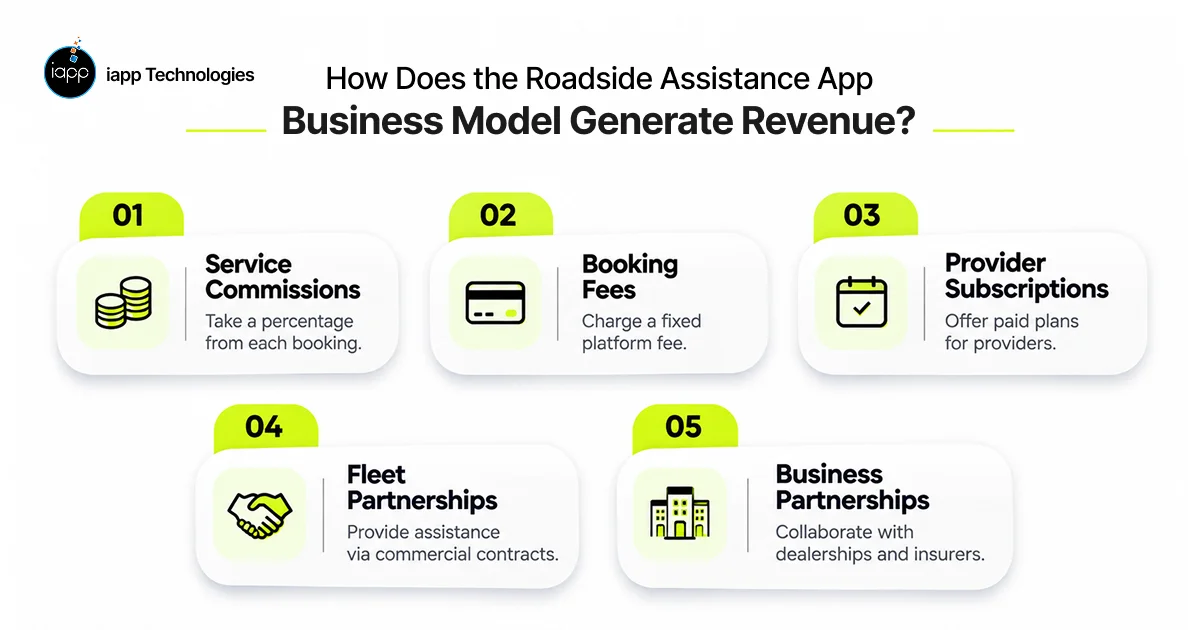
The roadside assistance app business model can support several revenue streams. Founders can combine transaction fees and partnerships.
Common monetization options include:
Consider a simple transaction example.
A customer pays $100 for a towing service. The platform charges a 15% commission. The platform earns $15 from that booking. The provider receives the remaining $85.
These figures illustrate one possible arrangement. Actual commissions depend on provider agreements and operating costs.
Founders should also calculate payment fees and refunds. Customer support and acquisition costs affect margins. Clear pricing helps avoid unexpected charges.
Scalable platforms need strong provider coverage and dispatch. They also require reliable infrastructure and monitoring.
The US has a substantial vehicle base. FHWA reported 298 million registered vehicles during 2024. Americans also travelled 3.3 trillion vehicle miles. These figures demonstrate extensive vehicle use.
Consider these practical expansion strategies:
Expert insight: Build provider density before expanding coverage.
Adding more cities does not guarantee better service. Thin provider coverage can increase customer waiting times. It can also cause more rejected bookings.
Start with a few carefully selected service zones. Track provider acceptance rates and completion times. Review these metrics every week. Expand when existing zones meet operational targets.
This approach supports controlled growth and reliable dispatch.
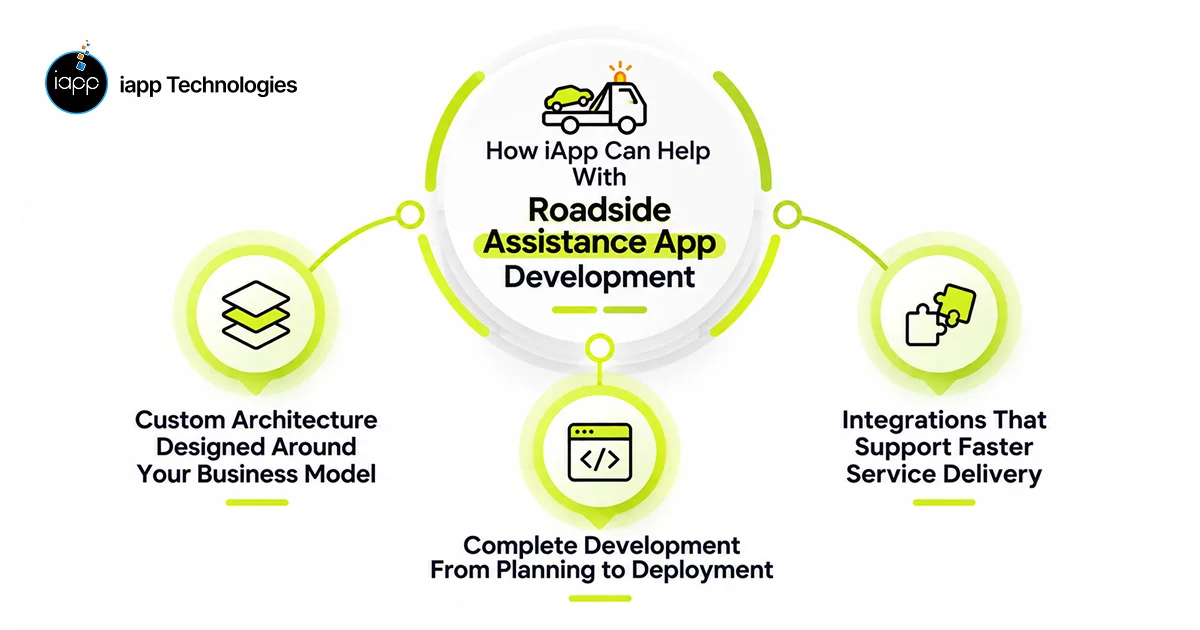
At iApp Technologies, we develop custom mobile applications. We focus on specific business and operational requirements. Our roadside assistance software development approach supports custom platforms.
We develop customer apps and provider applications. Our team also builds centralized admin dashboards. Backend systems support booking and payment workflows.
We can structure commission and transaction-based payment models. Architecture planning also considers future service expansion.
We connect mapping, navigation, and payment services. Our developers integrate GPS and location tracking APIs. We also implement notifications and provider dispatch workflows.
These integrations support coordinated service delivery. They also provide better visibility across bookings.
Our team manages the development lifecycle. This includes requirement analysis and interface design. We also handle coding, testing, and deployment.
After launch, we support maintenance and upgrades. Our team can address performance and integration requirements. We also plan features around changing business needs.
We bring over 12 years of development experience. Our portfolio includes 2,000+ delivered applications. Our team includes 120+ developers.
We support custom mobile and software development. Our technology capabilities include Flutter, React Native, Node.js, and Python.
For roadside assistance app development USA projects, we assess market requirements. We also consider local business and integration needs. As a roadside assistance app development company USA, we support custom product development.
Building a roadside assistance platform requires careful planning. Focus on booking, dispatch, payments, and provider coverage. Start with an MVP and expand gradually.
At iApp Technologies, we build custom mobile applications. Our team supports planning, development, integrations, and deployment. Contact us to discuss your roadside assistance app development requirements.
They earn through booking fees and service commissions. Provider subscriptions and fleet partnerships add revenue.
Profitability depends on demand, commissions, and operating costs. Strong local provider networks can improve booking completion.
Contact local towing companies and independent operators. Verify insurance, licenses, service areas, and availability.
Stripe and PayPal support common online payment needs. Compare transaction fees, payouts, and integration requirements.
Use local SEO, paid search, and referral campaigns. Partner with garages, dealerships, and fleet operators.
Requirements vary by state and service category. Check registration, towing permits, and insurance obligations.
Yes. Include EV towing and mobile charging services. Partner with providers trained in electric vehicle handling.
A focused MVP may take 12–16 weeks. Timelines depend on features, integrations, and testing.
 Jagwinder Singh
Wait! Before you go…
Talk to our experts and turn your ideas into powerful digital solutions.


 Trusted by 1000+ businesses

Fill out the form and our team will get back to you shortly.